Vistaar WebX Brand Development Agency

Blog

Your blog category

The Psychology of Editing: Why Viewers Watch or Scroll Away

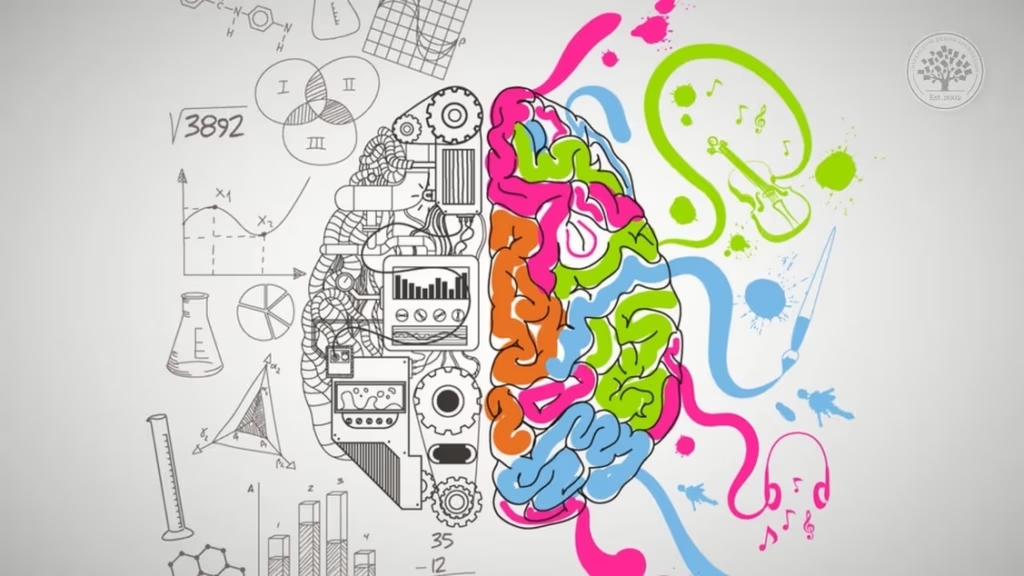
We live in a world where attention is currency—and editing is the gatekeeper. Whether it’s a cinematic film, a YouTube vlog, or a 15-second Instagram reel, the way a video is edited decides one thing: Will the viewer stay, or will they scroll away? Welcome to the psychology of editing—a hidden force that plays with emotions, perception, and engagement. At Vistaar, where stories come to life, we know that editing isn’t just about cutting and trimming. It’s about understanding the human brain and crafting a narrative that captures it, holds it, and moves it. Let’s break down how editing influences viewer behavior, and why a simple cut can make the difference between binge-watching and bouncing. First Impressions Are Everything: The First 3 Seconds The harsh truth? You’ve got 3 seconds—sometimes even less—to capture your audience. In today’s content-heavy world, viewers are constantly scrolling. If your video doesn’t hook them instantly, they’re gone. This is where editing psychology kicks in. Here’s what works: Quick, clear visuals: No slow intros. Show something striking upfront. Sound cues: A sudden beat drop or sound effect grabs attention. Movement: Rapid motion draws the eye, so editors often open with action or transitions. 🔹 Psych Tip: The brain is wired to notice contrast. Use it. Whether it’s light/dark, sound/silence, or calm/chaos—starting with a stark difference grabs focus. The Emotional Journey: Storytelling Through Structure Humans don’t just love stories—we need them. Editing determines how we emotionally connect to those stories. An effective edit follows a story arc, even in a short video: Hook (the setup) Build-up (tension/emotion) Climax (conflict or highlight) Resolution (message or takeaway) Even a 30-second reel can follow this arc. If a video lacks this emotional rhythm, the viewer loses interest—because their brain isn’t being rewarded. 🔹 Psych Tip: Emotional editing creates dopamine spikes. Make viewers feel something—curiosity, excitement, laughter, empathy. They’ll stay for the ride. Cuts That Keep You Watching: The Invisible Language Editing is like a silent language—every cut speaks, even if the viewer doesn’t realize it. Smooth, rhythmic cuts make a video feel seamless. Jarring or awkward cuts, on the other hand, confuse the brain. If a viewer gets mentally “knocked out” of the flow, they’ll scroll. That’s why great editors focus on: Continuity: Logical flow from one scene to another Pacing: Not too fast to overwhelm, not too slow to bore Timing: Holding just enough on a shot to make it meaningful 🔹 Psych Tip: The brain loves closure. End your shots on a completed action, reaction, or expression. It gives the mind a sense of satisfaction. Sound Matters More Than You Think A well-edited video isn’t just about visuals—it’s about audio. What you hear affects how you feel and whether you stay engaged. Music sets mood and tone instantly SFX (sound effects) highlight actions and transitions Silence, when used well, builds tension or emotion Ever watched a video on mute and felt… nothing? That’s how much audio impacts engagement. 🔹 Psych Tip: The brain responds emotionally to music and rhythm. Syncing cuts to beats or emotional soundtracks increases retention. Text and Titles: Guiding the Brain Today, most videos are watched without sound, especially on mobile. That’s why captions, text overlays, and motion graphics have become crucial. Good editing uses on-screen text to: Emphasize key points Keep the viewer visually engaged Provide clarity when audio isn’t an option But here’s the catch: Overusing text can backfire. Keep it minimal, well-timed, and meaningful. 🔹 Psych Tip: The brain craves clarity. If viewers have to work hard to understand what’s happening—they’ll scroll. Pattern Interrupts: The Secret Weapon Ever noticed how you’re watching a video and suddenly something unexpected happens—like a color shift, angle change, or visual glitch—and you keep watching? That’s called a pattern interrupt. The human brain zones out when things are too predictable. Editors use sudden changes in: Camera angle Color grading Zoom cuts or digital pans Sound design To jolt the brain and regain attention. 🔹 Psych Tip: Break patterns, but not rhythm. Keep surprising the viewer while maintaining a consistent tone. Call to Action: Ending with Purpose How you end a video matters. The final seconds are your chance to direct the viewer—to like, share, comment, watch more, or simply reflect. An abrupt or flat ending feels incomplete. A meaningful close—like a quote, a question, or an emotional resolution—gives the brain closure and increases memory retention. 🔹 Psych Tip: The Recency Effect means we remember the last thing we see. End powerfully. Why This Matters at Vistaar At Vistaar, we understand that editing isn’t just a post-production task—it’s the soul of the story. Whether it’s a feature film, a college project, a brand campaign, or social media content, our editors are trained not just in software—but in psychology. We edit with empathy. We don’t just ask “What looks good?”—we ask “How will this make the viewer feel?” Because in the end, people don’t remember videos for their effects or transitions. They remember how those moments made them feel. And that feeling… is created in the edit room. Final Thoughts The psychology of editing is simple: If you understand how the brain works, you can keep viewers hooked, engaged, and emotionally invested. Great editing isn’t flashy. It’s invisible, intentional, and emotional. So the next time you scroll, pause and ask—what made you stop? What made you feel something? What made you stay? Chances are, an editor crafted that moment—with purpose, with skill, and with heart.  

The Psychology of Editing: Why Viewers Watch or Scroll Away Read More »
The Hidden Time Behind a 30-Second Reel

The Hidden Time Behind a 30-Second Reel: What You Don’t See

In today’s fast-paced digital world, 30-second reels have become the go-to format for quick, engaging content on platforms like Instagram, TikTok, and YouTube. They capture attention almost instantly, offering a quick burst of entertainment, information, or inspiration. But what most viewers don’t realize is that behind each of these short reels, there is a lot more time, effort, and planning than meets the eye. The Rise of Short-Form Video Content With the surge in popularity of short-form video content, platforms are prioritizing reels to keep users engaged. A 30-second reel might seem like a quick task to create, but there’s a significant amount of time that goes into ensuring it’s perfect. From planning the concept to editing and posting, every reel involves multiple stages to make it successful and impactful. The Stages of Creating a 30-Second Reel Concept and Scripting: The first step in creating any successful reel is brainstorming a concept that resonates with the target audience. A creative idea is key to engaging viewers within those first few seconds. Whether it’s an educational tip, a product demo, or a funny skit, the scripting process can take hours, especially if you want it to be both compelling and concise. Filming: Once the concept is finalized, it’s time to shoot. While filming a 30-second reel may seem simple, getting the perfect shot requires careful attention to detail. From lighting to camera angles, every element is important. Reels might involve multiple takes, which means you could spend anywhere from 30 minutes to several hours getting the footage right. Editing: After the filming is done, the editing process kicks in. This is where the real magic happens. Editing a reel includes cutting the footage, adding music, captions, filters, transitions, and sometimes even animations. The goal is to ensure that the 30-second video flows seamlessly, remains engaging, and grabs attention instantly. The editing phase can take anywhere from 2-4 hours depending on the complexity. Feedback and Revisions: Before uploading, creators often share their reel with peers or teams for feedback. Minor tweaks and revisions are common to improve the quality and impact of the final product. This stage could add another hour or two, depending on how many revisions are needed. Optimization and Posting: Once the video is ready, it’s time to optimize it for the platform where it will be posted. This includes selecting the right thumbnail, writing a catchy caption, and adding relevant hashtags. SEO optimization for reels is essential for maximizing views and engagement. Creators often research trending hashtags, check analytics, and apply these findings to ensure their reel reaches as many viewers as possible. The Hidden Time Investment While viewers may watch a 30-second reel in the blink of an eye, they often overlook the hidden time and effort involved in producing that short burst of content. From brainstorming ideas to editing, revising, and optimizing, a lot of time goes into making that seemingly simple video look effortless. Why Does the Time Matter? The time and effort behind 30-second reels are directly linked to their effectiveness. A well-thought-out and carefully crafted reel can make a lasting impression, boosting engagement, attracting followers, and potentially going viral. Creators spend hours perfecting each reel to ensure it provides value, whether that’s through entertainment, education, or brand promotion. For businesses and influencers, mastering the art of the 30-second reel is a powerful tool for growing their online presence and reaching a broader audience. It’s not just about posting content—it’s about crafting something that connects with the audience within those few fleeting seconds. Final Thoughts: The Real Cost of a 30-Second Reel In conclusion, while a 30-second reel may appear quick and simple, the time behind it is far from negligible. Creators and businesses invest countless hours ensuring that every second of the reel counts. The effort that goes into conceptualizing, filming, editing, and optimizing is what ultimately makes these short-form videos so impactful. As viewers, it’s important to appreciate the hidden effort behind every reel. And as content creators, acknowledging the time spent on each reel can lead to even better content in the future.  

The Hidden Time Behind a 30-Second Reel: What You Don’t See Read More »

The Art of Looping

The Art of Looping: Creating Seamless Reels That Keep Viewers Watching

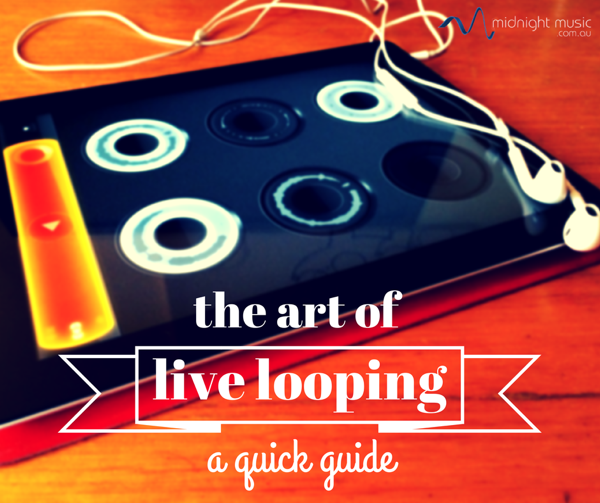
In today’s fast-scrolling world of social media, attention is currency. With Instagram Reels, YouTube Shorts, and TikTok dominating user engagement, creators are constantly chasing ways to keep viewers hooked. And there’s one underrated magic trick that’s reshaping the game—looping. Done right, looping can turn a 10-second video into a 30-second engagement without even increasing the runtime. It’s like a secret weapon for watch time, algorithmic reach, and virality. Welcome to the Art of Looping—where we explore how to create seamless Reels that viewers want to watch again… and again… and again. What is Looping in Reels? Looping is a creative technique where the end of a video flows so smoothly into the beginning that viewers don’t even realize the reel has started over. The transition is so seamless, it feels infinite. This not only boosts repeat views but also tricks the algorithm into pushing your content further because of higher watch time. Why Looping Matters? Let’s face it—people are watching Reels on the go. If your content doesn’t hook them instantly, they scroll. But when a video loops smoothly, people: Watch longer (even multiple times) Are more likely to share or comment (“Wait, how did that loop?”) Increase your average watch time Help boost your algorithmic ranking And in the world of Instagram and TikTok, more time = more reach. The Psychology Behind Looping The human brain loves patterns and closure. When something starts again without warning, it triggers curiosity: “Did I miss something?” “Wait, is this the beginning again?” “Let me watch it again to be sure…” This natural loop confusion keeps viewers engaged. It’s not a trick—it’s smart content psychology. How to Create Seamless Loops in Reels Creating a loop-worthy reel isn’t about complex editing. It’s about smart storytelling and timing. Here’s a breakdown of how to master it: Start with the End in Mind Before filming, decide how your video will end where it begins. Whether it’s a movement, a sound, or a visual, design your reel with the loop in mind. Ask yourself: Can I repeat this action? Will this audio allow a seamless transition? Will the loop confuse or amaze the viewer? Example: A person throwing a paper plane that flies back into their hand (loop achieved). Use Loop-Friendly Music Some audio clips are made for looping—especially ones with a consistent beat or repetitive melody. Music without sudden drops or ends works best. If you’re using trending sounds, make sure: The beat allows for a clean restart The transition isn’t jarring Tip: Look for audio that starts and ends with the same rhythm. Match the Motion If your reel involves movement—like dance, walking, or transitions—ensure the last frame matches the first. Your action should loop naturally. Example: A creator walks through a door and ends up back at the starting point. Viewers feel like it never ended. Use Visual Loops Sometimes, using visual patterns like spinning objects, sliding frames, or zoom effects can help create an infinite loop effect. Pro Tip: Add a small glitch or flash transition to make the loop even smoother—it creates a visual bridge between the end and start. Try Reverse & Repeat Techniques This one’s for editors—record an action, and then use the reverse effect to go back to the starting point. Example: Throw something up and reverse the clip so it falls back into your hand. Viewers won’t even notice the switch. Storytelling Loops Not every loop has to be visual—some are conceptual. Example: A story where a character forgets something, goes back, and ends up exactly where they started. It’s a narrative loop that makes sense to rewatch. Best Types of Reels for Looping Not all content is ideal for looping. But these categories work great: DIY & Craft: Start and end with the same setup Dance/Transitions: Continuous movement feels natural to loop Tutorials: Quick tips that reset for better retention Comedy Sketches: Punchline that blends with the intro Before/After Reveals: End with the “before” again Real-Life Examples That Nailed Looping Zach King – Master illusionist whose Reels often loop so well, you don’t realize you’ve watched them twice. Fitness Creators – Repeating moves that start and end in the same pose make loops feel intentional. Aesthetic Edits – Travel, fashion, or lifestyle creators looping transitions, outfits, or visuals perfectly. Pro Tips to Master the Loop Plan ahead: Loops need planning more than editing. Keep it short: The shorter the reel, the more likely it is to get replayed. Use seamless transitions: Fade-ins, fade-outs, or cross dissolves help. Get feedback: Before posting, test the loop with a friend. If they can’t spot the restart—success! Caption it right: Use hooks like “Wait for it…” or “Watch it again” to increase engagement. SEO Tips for Reels and Looping To make sure your Reels not only loop but also reach more eyes, use smart SEO practices: Use keywords in your captions like “looping reel”, “watch again”, or “seamless transitions”. Add hashtags: #LoopReel, #LoopMagic, #ReelTrick, #VisualLoop Write descriptive captions that include phrases like: “Bet you didn’t see that loop coming!” “Watch till the end… or is there an end?” Include engagement CTAs: “Did it loop? Tell us below.” Final Thought: Looping is an Experience Creating looping Reels isn’t just a growth hack—it’s a form of creative storytelling. It’s about crafting an experience that’s so smooth, so clever, that your audience forgets where it started… and wants to keep watching. So next time you’re shooting a Reel, don’t just think “What should I post?” Think: “How can I make this loop perfectly?” Because in the world of Reels, if it loops, it lasts. Ready to create magic with your next reel? Start looping. Keep them watching. Go viral. Explore more tips, tutorials, and creative insights only at The Vistaar—where creators grow.

The Art of Looping: Creating Seamless Reels That Keep Viewers Watching Read More »

Streamline Your Creative Workflow with Project Management Tools

Creativity? Deadlines? Umm… Smooth coordination? Kabhi kabhi! Agar aap kisi creative ya operations team ka part ho, you already know the struggle is real. Kabhi files kisi drive mein, kabhi deadlines confuse, aur kabhi tasks double assigned. Sab kuch ekdum chaos! But don’t worry — yahan aate hain project management tools jaise ki Notion, Asana, and Trello, jo banate hain kaam ko smooth, sorted aur systematized. Let’s decode how these tools can actually streamline creative workflow and make your team’s life so much easier. Why Operations Teams Need Project Management Tools (Like, Right Now!) Creative teams ka kaam ideas se start hota hai — but execution is king, aur woh hota hai ops teams ke through. Par bina sahi tools ke? It’s like juggling flaming swords… blindfolded. Common struggles: Deadlines miss hona because timelines clear nahi hote Team members confused rehte hain kisne kya karna hai Files lost or feedback scattered Burnout due to overwork and no system And tabhi aate hain Notion, Asana, Trello jaise project management tools jo banate hain kaam structured aur stress-free. Think of them as your creative chaos ki ultimate rescue team. Tool Talk: Notion, Asana & Trello for Creative Teams Notion – Creative Ka Digital Brain Agar creativity ka soulmate hota, toh definitely Notion hota. From note-taking to full-on project planning – everything in one clean aesthetic dashboard. Why creatives LOVE Notion: Super customizable dashboards & layouts Easy note-taking + database combo Kanban boards, to-do lists, content calendars – sab ek jagah Perfect for mood boards, content ideas & brainstorming Best for: Small to mid-size teams who like creative freedom + clean visuals. Pro Tip: Banaiye apna “Creative Command Center” — jisme ho content pipeline, briefs, deadlines, inspiration aur feedback — sab kuch ek jagah pe! Asana – The Boss-Level Organiser Asana is perfect for operations teams juggling big projects with multiple deadlines. Structure chahiye? This is your go-to. Why ops teams swear by Asana: Assign tasks with due dates, priorities & dependencies Live tracking with boards & timelines Built-in goals, reports, & performance tracking Feedback directly on tasks – no scattered chats! Best for: Large teams with multiple stakeholders & layered processes. Pro Tip: Build a Creative Production Pipeline jahan har campaign ke liye ho scripting, design, scheduling – with subtasks for feedback, revisions & final delivery. Trello – Visual Thinkers Ka Favourite Trello = Drag. Drop. Done. Simple, easy and full visual clarity. Why creatives vibe with Trello: Super intuitive board + card system Assign tasks, add checklists, tag teammates Power-ups for calendar, automation, file sharing Dekho apna project move hota “Idea” se “Published” tak – LIVE Best for: Visual learners, small agile teams and quick collaborations. Pro Tip: Har campaign ke liye ek naya board banaiye – with columns like “To Do”, “In Progress”, “Feedback”, “Published”. Real-Life Use Case: Ek Creative Campaign ka Breakdown Scenario: Your team is launching a full-on social media campaign with posts, reels, stories & influencer collabs. Here’s how the tools fit in: Tool Use Case Notion Post ideas, visual inspo, content briefs Asana Task assignments + deadlines for design, copy, publishing Trello Track status from creation to review to final post Sab ek hi page par hone ka result? Faster execution, smoother collaboration & zero chaos. Beat The Deadline with Smart Tools These project tools aren’t just fancy dashboards – they are actual time & energy savers. Features That Make Life Easier: Automation: Repeat tasks? Auto-assignments? Set reminders? Done. Collaboration: Real-time comments, mentions & feedback – no endless WhatsApps Documentation: Keep content briefs, designs, revisions all in one place Progress Tracking: Instant overview of who’s doing what Outcome: Fewer missed deadlines Less confusion Better creative output Happier teams Bonus: How to Make These Tools Work For You Honestly, tools tabhi kaam karte hain jab unhe properly use kiya jaye. Some Gen-Z approved tips: Theme It: Add emojis, colors, even memes to make your workspace feel you Keep It Simple: Start with basic boards/lists – don’t overthink it Review Weekly: 15 min ka cleanup every week = smooth flow Collaborate Live: Use tools during brainstorming, not after Remember: Tool wahi best hota hai jo team ki needs ko suit kare Final Thoughts: From Creative Chaos to Creative Flow Designer ho, copywriter ho ya ops manager — sabko ek baat samajh aani chahiye: Streamlined system = Better creativity. With tools like Notion, Asana, and Trello: Teams stay aligned Deadlines don’t haunt you Creative ka flow rehta uninterrupted Toh kya wait kar rahe ho? Start your own creative system today and turn your workflow into your superpower

Streamline Your Creative Workflow with Project Management Tools Read More »

Storytelling Through Cuts: Editing Ka Real Magic

Jab bhi hum storytelling ki baat karte hain—whether it’s cinema, advertising, ya Instagram Reels—humara focus hota hai script, visuals, ya performances par. But ek unsung hero hota hai jo silently story ka structure decide karta hai—editing. Har emotional moment, har breathtaking shot ke peeche hota hai ek skilled video editor, jo cuts ke through story ko shape karta hai, aur audience ke emotions ko control. At Vistaar, hum believe karte hain ki editing sirf post-production nahi hoti, yeh ek final rewrite hoti hai story ki. In this blog, let’s explore how editing in storytelling transforms raw footage into meaningful narratives—chahe wo short-form content ho ya ek cinematic brand film. The Editor: A Silent Storyteller Ek editor ka kaam hota hai invisible—but that’s what makes it so powerful. Socho apni favorite movie ya ad ke baare mein. What gave you goosebumps? The actors? Maybe. But real magic? The way it was edited. Cuts ka rhythm, scene ka pace, background silence—all these small things get combine the emotional storytelling journey. Editing decides: Kya dikhana hai Kab dikhana hai Aur kis angle se dikhana hai Why Cuts Matter: More Than Just Transitions Cut ek technical transition nahi, ek creative decision hota hai. Har cut audience ke emotion ko connect karta hai. Pacing aur Tension ka Control Fast cuts = thrill, energy, chaos Slow cuts = emotion, depth, silence Ek thriller film fast transitions se anxiety build karti hai, jabki ek emotional scene long takes ke through connect karta hai. Emotional Impact Banata Hai Kabhi bina kisi dialogue ke emotional ho gaye ho? That’s editing ka magic. Pause, silence, ya ek sudden cut can say more than words. Narrative Shape Karta Hai Kya dikhana hai aur kis order mein—this defines the story. Just like a sceen which includes the smiling child and same time the crying mother behind her. —Kuleshov Effect kehte hain isse, and it proves how editing defines storytelling meaning. From Raw Footage to Real Story Chahe ek brand ad ho, wedding film ya student portfolio—editing gives purpose to your footage. What brings it to life: Expressions ka right highlight Natural silences ka respect Transitions that flow seamlessly At Vistaar, we don’t show visuals, hum uske peeche ka emotion aur intent samajhte hain. Short-Form Content: Cuts That Hook Fast Reels, Shorts, Youtube – shorts — This mean short-form content editing is a different ball game. Pehle 3 seconds matter karte hain. That’s where cutting techniques like zoom cuts, whip pans, match cuts come in. Our motto: Hook karo, hold karo, aur hard hit do—sab kuch within seconds. Good editing turns a simple idea into scroll-stopping content. Editing is Psychology Too A great editor samajhta hai: Viewer kitni der tak ek shot dekh sakta hai Kab expectation todna hai Kab flow break karke surprise create karna hai Yeh hota hai invisible editing—so smooth that viewer ko pata bhi nahi chalta. Lekin kabhi kabhi jump cuts ya glitches bhi intentional use hote hain—to jolt the viewer with emotion. Tools & Techniques That Tell Stories Let’s look at key video editing techniques: Jump Cuts Time skip dikhane ke liye. Used in YouTube vlogs for relatability. Rhythm Cuts Music ke beat pe scene cut karna—for emotions that sync with audio. Match Cuts Visual continuity between scenes using shape, motion, or meaning. Cross-Cutting Two parallel stories ek saath dikhana—for suspense ya emotional depth. Har technique ek visual trick nahi, ek storytelling device hai. Vistaar’s Approach: Edit with Emotion At Vistaar, editing = feeling. Hum software se zyada story ko feel karte hain. Chahe wo ho: A cinematic brand film A creative Instagram reel A wedding teaser Or a powerful social message We don’t just deliver edits—we deliver connection. In the End, Every Cut Is a Choice Har perfect video ke peeche hoti hain hazaaron small decisions: Kya rakhna hai, kya hataana hai Kab pause lena hai Kab punch dena hai Editing in storytelling is invisible—but it’s what leaves the most visible impact. So next time jab koi video aapko move kare, ya inspire kare—remember: It’s not just how it was shot. It’s how it was edited. And at Vistaar, hum uss editing magic mein believe karte hain. Final Thought In a world full of digital noise, great editing brings clarity. It shapes your brand, strengthens your storytelling, and helps you truly connect with your audience. Let Vistaar—your trusted video editing service partner in India—help you bring out your best stories. Because har cut ke peeche hoti hai ek kahani.

Storytelling Through Cuts: Editing Ka Real Magic Read More »

Scalable Systems for Growing Agencies The Key to Long-Term Success

Running a growing agency can feel like trying to juggle while riding a bike on a bumpy road. As you add more clients, hire new team members, and explore new service offerings, things get complicated—fast. Without the right systems in place, it’s easy to burn out or lose control. That’s where scalable systems come in. Whether you’re a marketing agency, design studio, PR firm, or any other service-based business, building scalable systems is essential for smooth operations, happy clients, and consistent growth. In this blog, we’ll break down what scalable systems are, why they matter, and how you can implement them in your agency—without drowning in technical jargon. What Are Scalable Systems? In simple terms, a scalable system is one that works well whether you have 5 clients or 500. It doesn’t break under pressure, and it doesn’t require you to reinvent the wheel every time your workload increases. These systems are repeatable, reliable, and designed to grow with your business. They save you time, reduce errors, and let you focus on what you do best—serving your clients and growing your brand. Why Scalable Systems Matter for Agencies Save Time and Resources Manual processes can only take you so far. As your agency grows, they eat up valuable time and energy. Systems automate repetitive tasks, freeing up your team to focus on high-impact work. Deliver Consistent Quality Clients expect consistency. A good system ensures that whether it’s your first project or your 100th, the process—and results—stay top-notch. Support Remote or Hybrid Teams Clear systems mean everyone knows what to do and how to do it, regardless of where they’re working from. Make Onboarding Easy Hiring new team members? Scalable systems make training fast and simple, so your new hires can hit the ground running. Boost Client Satisfaction Timely delivery, clear communication, and high-quality work—all supported by strong systems—keep your clients happy and loyal. Key Areas to Systemize Let’s dive into the specific parts of your agency where systems can make the biggest impact. Client Onboarding This is your client’s first real interaction with how your agency works. A messy onboarding experience sets a bad tone. What to Systemize: Welcome email templates Onboarding checklists Contract and invoice automation Introductory call scripts Project management tool setup Tools to Consider: Dubsado, HoneyBook, PandaDoc, HelloSign Project Management When multiple people are working on multiple projects for multiple clients, chaos can easily take over. A solid project management system keeps everyone aligned. What to Systemize: Task assignment and deadlines Standard operating procedures (SOPs) Templates for common deliverables Client update reports Tools to Consider: Asana, ClickUp, Trello, Monday.com Communication Internal and external communication should be streamlined to avoid confusion and delays. What to Systemize: Weekly team check-ins Email templates for common client queries Slack channels organized by project or department Feedback loops and review cycles Tools to Consider: Slack, Loom, Zoom, Front, Gmail + Canned Responses Marketing and Lead Generation As an agency, you’re also your own client when it comes to marketing. Don’t leave it to chance. What to Systemize: Social media content calendars Lead follow-up workflows Email marketing sequences Webinar/event templates Tools to Consider: HubSpot, Mailchimp, Buffer, ConvertKit Sales Process A scalable sales system helps you close more deals while delivering a professional experience. What to Systemize: Lead qualification scripts Proposal templates CRM workflows Automated follow-ups Tools to Consider: Pipedrive, Salesforce, Close, Notion Reporting and Analytics You can’t grow what you don’t measure. Good reporting systems help you track performance, set goals, and spot bottlenecks. What to Systemize: Client performance reports Internal KPIs (turnaround time, client retention) Financial dashboards Tools to Consider: Google Data Studio, AgencyAnalytics, QuickBooks, Databox Steps to Build Scalable Systems ✅ Step 1: Identify Your Bottlenecks Look at where things are breaking down. Are projects constantly delayed? Are clients waiting days for updates? Start there. ✅ Step 2: Map Your Workflows Document every step of your current process—from onboarding to delivery. This gives you a clear view of what needs fixing. ✅ Step 3: Create SOPs Standard Operating Procedures make it easy to replicate success. Write them like you’re explaining the task to someone on their first day. ✅ Step 4: Automate What You Can Use tools to handle repetitive tasks. Automation isn’t about replacing humans—it’s about freeing them up for creative, strategic work. ✅ Step 5: Train Your Team Systems are only as good as the people using them. Invest in regular training and encourage feedback to improve workflows. ✅ Step 6: Review and Refine Your systems will evolve as your agency grows. Schedule regular reviews to refine and optimize. Real-Life Example: How One Agency Scaled With Systems Let’s look at a quick example. Case Study: Rise Media Agency A digital marketing agency started with 3 people and a few clients. As they grew to 25 clients and a 10-person team, their lack of systems caused missed deadlines, burnt-out employees, and confused clients. They invested 3 months into building systems: Created SOPs for each service Used ClickUp for task management Automated client reporting using Google Data Studio Streamlined onboarding with Dubsado The result? They doubled their client base in a year, reduced employee turnover, and improved client satisfaction scores by 40%. Final Thoughts Scalable systems aren’t just for tech companies or enterprise-level businesses—they’re essential for any agency that wants to grow without falling apart. Think of them as the foundation beneath your creativity, strategy, and client relationships. Yes, setting them up takes time and effort. But once in place, these systems pay off in more freedom, more profits, and way less stress.

Scalable Systems for Growing Agencies The Key to Long-Term Success Read More »

Why Music Matters in Video Editing

Why Music Matters in Video Editing

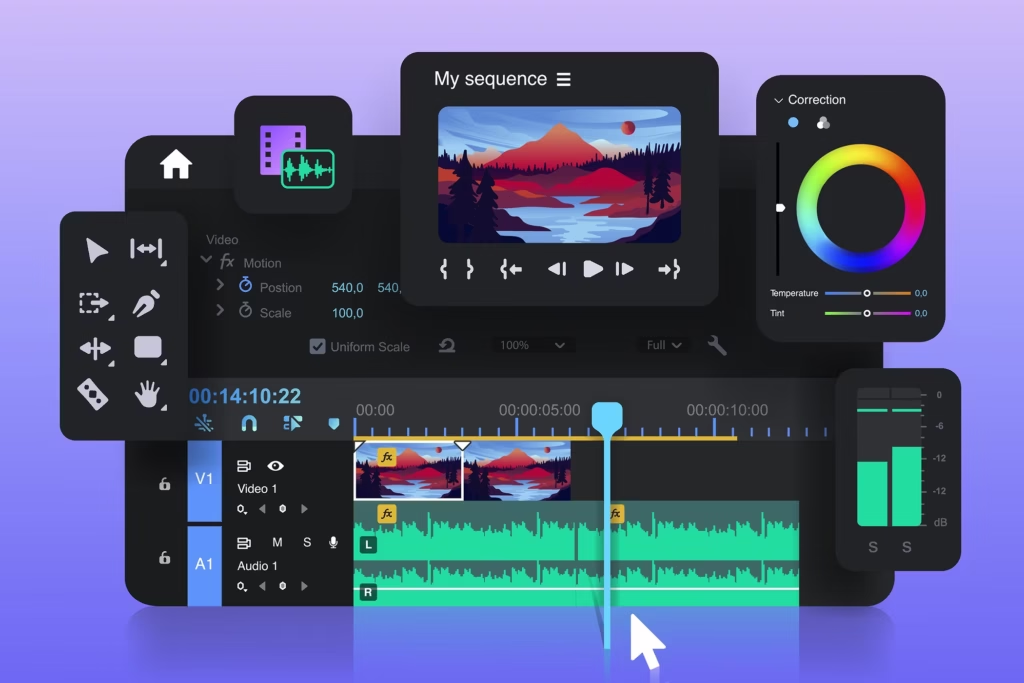
In the world of video editing, visuals tell a story—but it’s the music that brings it to life. Whether you’re creating a cinematic short film, a YouTube vlog, or a brand commercial, the power of music in video editing can never be underestimated. It sets the tone, drives the emotion, and elevates the entire viewing experience. In this blog, we’ll explore how music enhances video content, the psychology behind sound in storytelling, and how you can choose the perfect track for your project. Music Sets the Emotional Tone One of the most powerful functions of music in video editing is its ability to evoke emotions. A soft piano melody can convey sadness or reflection, while a fast-paced electronic beat builds excitement and anticipation. The emotional connection music creates helps viewers engage more deeply with your content. Enhances Storytelling and Narrative Flow Music acts as a narrative tool in video production. It can signify transitions, highlight key moments, or underscore dramatic beats in the story. For editors, music becomes a timeline guide—helping to pace scenes and create rhythm. For example, in documentaries, background music helps maintain interest and creates a sense of continuity. In films, a well-timed score intensifies action scenes or enhances romantic moments. Builds Brand Identity in Marketing Videos In commercial or corporate videos, background music is key in building brand identity. Upbeat, modern tracks may reflect a youthful, energetic brand, while classical music might suggest sophistication and trust. Choosing the right music for marketing videos directly impacts how your audience perceives your brand. Increases Viewer Engagement and Retention Music is proven to increase viewer engagement and retention. It helps sustain attention, especially on platforms like YouTube or Instagram, where audiences scroll quickly. Music can also create memorable content, leading to better recall and sharing. According to studies, videos with music have a higher chance of being watched till the end compared to those without it. Improves Video Transitions and Flow In the editing timeline, music acts like glue. It helps smoothen transitions, hides cuts, and maintains the visual flow. A good soundtrack masks abrupt edits and makes scene changes feel natural and seamless. This makes your video look more polished and professional. Tips for Choosing the Right Music for Your Video Match the Mood: Choose a track that complements your video’s theme. Consider Your Audience: Use genres that resonate with your target demographic. Mind the Tempo: Fast tempos suit action or sports, while slow ones suit emotional or dramatic content. Use Royalty-Free Music: To avoid copyright issues, use platforms like Epidemic Sound, Artlist, or YouTube Audio Library. Edit to the Beat: Align your cuts or transitions with the music’s rhythm for a more dynamic result. Conclusion: Let Music Be Your Secret Editing Weapon Whether you’re a beginner or a professional editor, understanding the power of music in video editing can significantly elevate your content. Music is more than just background filler—it’s an emotional, narrative, and branding powerhouse. When used effectively, it turns ordinary videos into unforgettable stories. So next time you sit down to edit, don’t just think visually—think musically.

Why Music Matters in Video Editing Read More »

Different Brands Without Losing Creativity

How I Edit for Different Brands Without Losing My Creative Style

Understanding Brand Identity is Key Before diving into any editing process, the first step I take is understanding the brand identity. Each brand has its own unique voice, visual language, and tone that reflects its values and mission. Whether it’s a minimalist aesthetic or a bold and colorful approach, I ensure that I thoroughly understand the brand’s vision and target audience. This understanding allows me to adapt my editing style to fit the brand’s visual guidelines while ensuring that I don’t lose my creative edge. For instance, if I’m working with a luxury fashion brand, I might lean towards a more sophisticated and refined color palette, while for a youthful beauty brand, I could incorporate more vibrant and energetic edits. Maintain a Consistent Editing Framework While every brand has its own set of requirements, having a consistent editing framework helps me maintain my creative freedom without compromising on the final outcome. I start by focusing on key elements like lighting, contrast, and saturation, which can be adjusted depending on the brand’s aesthetic. I often use preset filters and color grading techniques that form the foundation of my style but are flexible enough to tweak as per the brand’s needs. This flexibility within a structured framework is a crucial part of my editing process. By applying a consistent editing style, I’m able to create work that feels cohesive across different projects while still offering room for customization based on the brand’s requirements. Balancing Brand Guidelines and Personal Creativity One of the most common challenges I face as an editor is balancing brand guidelines with my personal creative style. This requires a delicate balance of adhering to the brand’s needs while infusing the content with my signature touch. For example, if the brand demands a certain color scheme or visual style, I look for ways to incorporate my creative flair within those boundaries. This might mean experimenting with unique transitions or adding subtle effects to keep the content fresh and dynamic without straying too far from the brand’s identity. The key is to ensure the essence of my creativity shines through, even when working within strict brand constraints. Over time, I’ve learned that a little experimentation within the framework can result in striking edits that not only meet the brand’s needs but also highlight my unique style. Stay Updated with Current Trends Being aware of current editing trends and industry standards is essential for any content creator. However, I’ve learned to stay true to my core editing principles while still keeping up with trends. Whether it’s the rise of Instagram filters, the popularity of grainy textures, or cinematic edits, I incorporate these trends in a way that doesn’t overpower my creative style. For example, if I’m editing a fashion brand’s video, I might use trending slow-motion transitions but ensure the color grading aligns with the brand’s established palette. This helps in keeping my work modern and relevant without compromising on the originality that defines my style. Collaborate with Clients to Align on Vision A collaborative approach with the client is key to ensuring that my personal style and the brand’s identity align effectively. When I start working on a project, I always engage in discussions with the brand about their goals, visual references, and the emotions they want to evoke in their audience. This collaboration helps me understand the boundaries while still giving me the freedom to add my creative touch. Understanding the brand’s core message and their long-term goals ensures that the final edit isn’t just visually appealing, but also strategic and purpose-driven. Trust the Process and Evolve Editing for different brands without losing my creative style has been a journey of constant growth. Over time, I’ve developed a process where I trust my instincts while staying flexible enough to adapt to different brand needs. Every project is an opportunity to evolve as an editor and learn new techniques while staying true to my style. By trusting the process, I’ve found ways to blend both worlds: my creativity and the client’s expectations. This mindset allows me to continue delivering work that not only satisfies the brand but also maintains the uniqueness of my craft. Conclusion Editing for different brands without losing my creative style is an art that requires a balance of flexibility, understanding, and creativity. By focusing on the brand’s identity, sticking to a consistent framework, collaborating with clients, and trusting my creative process, I can ensure that my work resonates with both the brand and my personal style. If you’re a content editor or creator trying to navigate the same challenge, remember: staying true to your unique creative flair is key to standing out, no matter the brand you’re working with. Keep experimenting, keep collaborating, and most importantly, keep creating!

How I Edit for Different Brands Without Losing My Creative Style Read More »

From Raw Footage to Viral Reels

From Raw Footage to Viral Reels: The Creative Journey Behind Every Scroll-Stopping Video

In today’s digital world, where attention spans are shorter than ever, the reel format has become a game-changer. Whether you’re a brand, content creator, or aspiring influencer, short-form videos—like Instagram Reels or YouTube Shorts—have become one of the most powerful tools to engage, entertain, and grow your audience. But what goes into making a reel that not only catches the eye but also goes viral? Let’s take a deep dive into the exciting journey of transforming raw footage into a viral reel. Step 1: Capturing the Right Raw Footage The process begins before editing even starts—with the shoot itself. Raw footage is essentially the unedited, unfiltered clips that you capture during filming. The key to strong raw footage is planning. Tips: Start with a script or shot list: Know your storyline or message. Shoot more than you need: Get multiple angles, reactions, and b-roll. Use natural light when possible: It enhances clarity and mood. Stabilize your shots: Whether it’s with a tripod, gimbal, or just a steady hand—shaky footage rarely makes it to viral status. Good reels often start with intentional filming, not random captures. Step 2: Trimming the Clutter Once your raw clips are ready, the first editing step is cutting the fluff. Every second counts, especially when your reel is only 15 to 60 seconds long. What to do: Trim the start and end of each clip: Remove unnecessary pauses or fumbles. Keep only the best moments: Ask yourself, “Does this part add value?” Maintain pacing: The rhythm of the reel matters. Keep it engaging. A great rule of thumb? If it doesn’t excite you on the first watch, it likely won’t excite your audience either. Step 3: Adding Visual Appeal Now that you’ve got a clean sequence, it’s time to enhance your reel visually. The goal is to make your content eye-catching in the first 2-3 seconds. Elements to include: Color grading: Use filters or apps like Lightroom, VN, or CapCut to enhance the visual tone. Transitions: Use jump cuts, zooms, and smooth transitions to keep the viewer hooked. Text overlays: Add context, captions, or punchlines. Keep text short and bold. Remember, on social media, people scroll fast. If your reel doesn’t stop the thumb, it won’t go viral. Step 4: Choosing the Right Audio Sound is everything in the world of reels. A good song or trending audio can elevate your video and increase its chances of being discovered. Strategies: Leverage trending audios: Use Instagram’s “Trending” tab or TikTok’s “For You” feed to find what’s hot. Match music to mood: Is it fun, emotional, inspiring? Let the music match the vibe. Use beats for transitions: Cut your clips on the beat drop to make them more dynamic. A well-synced reel is more likely to be watched till the end—and maybe even replayed. Step 5: Hook, Story, CTA The anatomy of a viral reel is simple: a strong hook, a meaningful middle, and a compelling call to action. Formula: Hook: First 3 seconds should grab attention—ask a question, show a crazy moment, or display bold text. Story: Keep it concise but impactful. Take viewers on a micro-journey. CTA: Want more likes, follows, or shares? Ask for it! “Follow for more,” “Tag a friend,” or “Save this for later” works wonders. Your reel should entertain or educate—but the best ones do both. Step 6: Optimizing for the Algorithm Even the best reel can flop if it isn’t optimized for discoverability. Best practices: Use relevant hashtags: Combine broad and niche tags. Write a catchy caption: It should hint at the value or tease the story. Post when your audience is active: Use insights or tools like Later and Buffer to find peak times. Engage quickly: Respond to early comments to boost visibility. Social platforms favor reels that get immediate interaction—so timing and community management matter. Step 7: Test, Learn, Repeat Not every reel will go viral—and that’s okay. What matters is the consistency of content and the willingness to experiment. Analyze: Watch completion rate: Do viewers drop off early? Check shares and saves: More shares = more potential reach. See what’s working: Which format or topic is getting more traction? Then go back, tweak your approach, and try again. Viral content isn’t just luck—it’s strategy + persistence. Real-Life Example: Behind a Viral Reel Let’s say you’re promoting a fashion brand. You record a “Before & After” transformation video: Raw footage: 3 outfit changes, walking shots, and some behind-the-scenes. Hook: “Wait till the last look ” Music: A trending fashion beat. Edit: Match outfit transitions to beat drops, add “OOTD” text overlays. CTA: “Which look is your favorite? Comment below!” The result? A reel that’s stylish, fast-paced, and emotionally engaging—perfect for shares, saves, and comments. Final Thoughts Going from raw footage to a viral reel is a process that combines creativity, strategy, and a bit of trial and error. It’s not just about what you film—it’s about how you tell the story. Every cut, sound choice, and transition plays a role in keeping viewers watching and sharing. Whether you’re a brand marketer, student creator, or weekend hobbyist—start filming, start editing, and start experimenting. Because your next 10-second video might just be the one that explodes across the internet.

From Raw Footage to Viral Reels: The Creative Journey Behind Every Scroll-Stopping Video Read More »

Cross-Department Collaboration

Cross-Department Collaboration: Ops as the Backbone

In the bustling ecosystem of any successful business, there’s a silent hero working behind the scenes—the Operations team. While design grabs attention with creativity, strategy outlines the path forward, and client servicing maintains relationships, operations quietly ensures that everything runs like a well-oiled machine. Think of operations as the central nervous system of a company—it connects, coordinates, and drives action. When cross-department collaboration is seamless, it’s often because the operations team is doing its job right. Let’s dive into how operations act as the backbone of cross-department collaboration and why this role is crucial for organizational success. The Invisible Glue Holding Everything Together Operations professionals are not always in the spotlight, but they’re the ones stitching all the pieces of a project together. They’re constantly in communication with designers, strategists, and client servicing teams to ensure that what’s promised is actually delivered—on time, on budget, and without chaos. Here’s what makes operations indispensable: They manage resources and timelines: Ops teams are masters of scheduling, ensuring deadlines are met without burnout. They identify bottlenecks early: By being involved in every phase, they can detect and resolve issues before they snowball. They standardize processes: Making sure everyone follows the same process reduces confusion and increases efficiency. Without this glue, projects would fall apart, miscommunication would rise, and deadlines would become wishful thinking. Bridging the Creative and the Practical Design teams thrive on creativity and pushing boundaries. Strategy teams love to ideate and envision the big picture. But what turns these ideas into deliverables that satisfy clients? Operations: Ops professionals bring the “how” to the table: If the design team wants to build an immersive visual experience, ops checks if the timeline, tools, and budget allow it. If the strategy team wants to roll out a multi-phase campaign, ops plans how the phases will roll out without overlap or delay. They’re the voice of practicality in a room full of ideas—and that balance is what creates great work that can actually be delivered. The Translator Between Departments Let’s face it—designers speak a different language than client servicing reps. Strategists think in frameworks, while account managers think in deliverables. Here’s where ops steps in as the ultimate translator. They: Convert abstract strategy into action plans. Turn client feedback into specific design requirements. Translate creative timelines into measurable milestones. This unique position allows them to mediate, clarify, and align everyone’s expectations, keeping all departments moving in the same direction. The Client Servicing Ally Operations and client servicing work closely, even if they have different goals. While client servicing focuses on maintaining relationships and satisfaction, ops focuses on execution. But their collaboration ensures: Clear communication with clients: Ops provides the timelines, scopes, and status updates client servicing needs to relay. Smooth deliveries: Operations makes sure that deliverables are shared on time, with the right level of quality. Issue resolution: If something goes wrong (and it often does), ops is the first to jump in and create a solution. They’re the safety net for client servicing—always working to make the team look good in front of clients. The Strategist’s Ground Support Strategy is critical, but without implementation, it’s just theory. Operations ensures that strategic ideas: Are broken down into actionable steps Fit within the real-world limits of time and budget Align with ongoing workloads and resource availability The best strategies are only as strong as the ops plans behind them. That’s why strategists need ops as partners from day one—not as afterthoughts. Creating Accountability and Transparency One of the key responsibilities of operations is ensuring accountability across departments. Here’s how they do it: Setting clear ownership for each task or milestone Using project management tools to track progress Communicating regularly with stakeholders This not only keeps projects on track but also promotes a culture of transparency and trust, which is vital for effective collaboration. Adaptability in a Fast-Paced Environment Modern workplaces are dynamic—things change fast, and often. Ops teams are masters of: Pivoting quickly when requirements change Reallocating resources to match shifting priorities Solving problems on the fly without creating panic Their ability to stay calm under pressure and find new paths forward keeps other departments focused on their core strengths instead of getting bogged down in logistics. Fostering a Culture of Collaboration Perhaps the most underrated superpower of operations is their ability to foster cross-functional teamwork. By bringing departments together around common tools, goals, and timelines, they create an environment where collaboration feels natural, not forced. They encourage: Regular check-ins across teams Documentation and transparency A shared understanding of the project vision This culture ultimately leads to higher quality work, fewer conflicts, and better results. In Conclusion: The Unsung Heroes Deserve Recognition Operations might not be the most glamorous team in the room, but they are absolutely essential. They make sure that creative ideas are implemented, strategies are executed, and clients stay happy. In today’s complex work environment, cross-department collaboration isn’t a luxury—it’s a necessity. And operations teams are the ones making it all possible. So the next time a campaign goes out smoothly, a deadline is met flawlessly, or a client sends back glowing feedback, remember to thank the ops team—the real backbone of your organization.

Cross-Department Collaboration: Ops as the Backbone Read More »